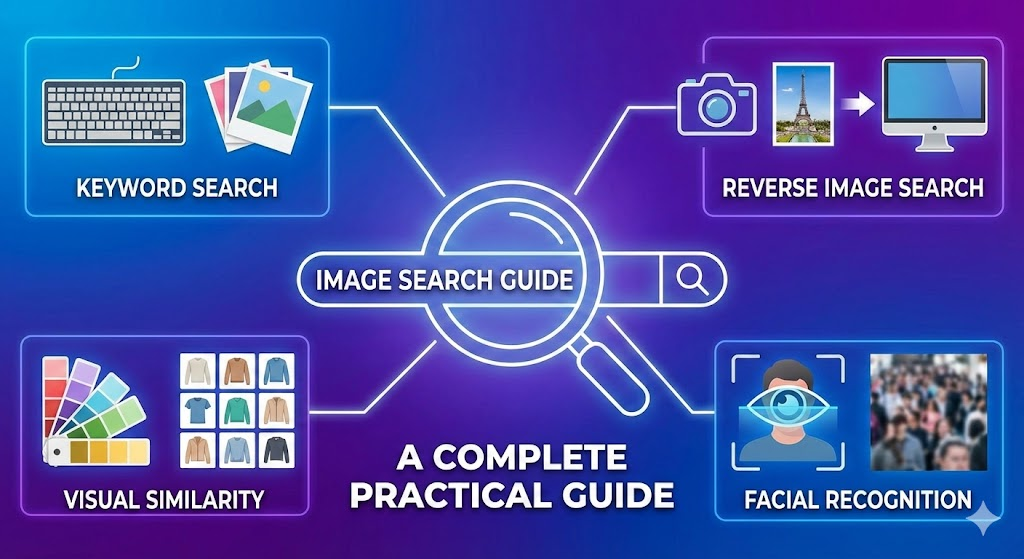
Master Image Search Techniques: Easy Step-by-Step Guide
Finding the exact picture you need online can feel like looking for a needle in a giant haystack. Millions of fresh images enter the internet every single day, which makes manual searching very slow and frustrating. Luckily, learning smart image search techniques helps you locate high-quality photos, trace original creators, and spot fake images in just a few seconds. Whether you are a student doing research, a graphic designer looking for inspiration, or a curious reader trying to identify a mystery plant, using the right methods saves you tons of effort. In this practical guide, we will explore simple methods, clear tools, and clever tricks that will transform how you look for visuals online forever.
Table of Contents
What Are Image Search Techniques and Why Do They Matter Today?
Understanding modern image search techniques means using smart digital tools to find visually related photos across the web without guessing complex keywords. In the past, people only typed text into search bars and hoped for good results. Today, modern visual search tools analyze colors, shapes, patterns, and textures within a picture to return accurate matches instantly. Learning these search methods helps you verify if a news picture is authentic, locate higher-resolution versions for print projects, or discover where to buy items you see in snapshots. Mastering these basic visual skills makes your daily internet browsing faster, safer, and far more productive.
How Reverse Image Search Works Behind the Scenes
Reverse visual lookup works by turning your photograph into a unique digital signature made of mathematical data points. When you upload a picture, advanced algorithms scan millions of indexed web pages to find matching lines, colors, and spatial arrangements. Instead of reading words, the search engine looks directly at the visual elements inside your file. This clever process allows software to detect identical images even if someone cropped the edges, adjusted the brightness, or changed the file format. Knowing how these image search techniques function helps you upload clearer pictures, leading to much better search results every time.
Quick Comparison of Popular Visual Search Tools
| Search Tool Name | Best Feature | Best Use Case | Primary Benefit |
| Google Lens | Real-time object recognition | Identifying products, plants, and text | Instant shopping and text translation |
| Bing Visual Search | Precise cropping controls | Isolating specific items inside photos | Excellent detail isolation |
| TinEye | Exact visual matching | Finding original sources and copyright owner | Shows oldest uploaded versions |
| Yandex Images | Advanced facial feature recognition | Locating similar faces and places | Highly accurate visual pattern matching |
| Pinterest Visual Search | Style and aesthetic grouping | Home decor and fashion matching | Great for creative ideas |
Using Google Lens for Instant Picture Matching
Google Lens is one of the most powerful everyday image search techniques available on desktop computers and mobile devices. You simply upload a photo or tap the camera icon in your mobile browser to scan anything around you in real time. Lens instantly highlights individual items inside the photo, allowing you to search for a specific pair of shoes without selecting the background. It can also read printed text from photos, translate foreign languages instantly, and find identical products across online stores. Using Google Lens regularly streamlines daily tasks and turns your smartphone camera into a handy learning assistant.
How to Perform Reverse Image Searches on Mobile Devices
Searching with photos on smartphones is quick once you set up the right habits and browser shortcuts. On Android and iPhone devices, open your browser app, select the camera icon inside the search bar, and choose a picture from your camera gallery. You can also press and hold any picture on a webpage to trigger an instant visual lookup directly from your screen. Mobile visual search helps you identify unknown landmarks while traveling, check plant names in your garden, or compare product prices while shopping inside retail stores. Practicing these simple image search techniques keeps helpful answers right at your fingertips everywhere you go.
Using TinEye to Find Original Photo Sources and Copyright Owners
TinEye is a specialized search engine built specifically to help users track down the original uploaders of web pictures. Unlike standard search engines that focus heavily on shopping, TinEye sorts results by the oldest upload dates and highest resolutions. This feature helps photographers check if someone stole their visual artwork without permission or proper attribution. It also assists researchers in pinpointing exactly when a viral picture first appeared on the internet. Adding TinEye to your collection of image search techniques ensures you always find official credits, clear licenses, and authentic sources quickly.
Finding High-Resolution Images for Creative Projects
Low-quality, blurry pictures ruin school presentations, blog content, and professional printing projects very quickly. Applying smart image search techniques helps you discover crisp, high-resolution versions of small thumbnail photos in seconds. When using desktop search engines, click on the tools menu and filter your results specifically by large picture sizes. You can also upload your small image into reverse search tools to locate matching files with much higher pixel dimensions. Using clean, high-definition visuals builds immediate trust with your audience and makes your work look polished, professional, and visually appealing.
Identifying Fake Photos and Misleading Online Memes
Fake news and modified photos spread quickly across social media platforms today, making visual verification vital for everyone. Applying disciplined image search techniques allows you to test whether a sensational trending photo shows a real current event or an old recycled story. When you run a reverse image search on a suspicious picture, you can check when it first appeared online and read original context headers. If a picture claiming to show recent news actually appeared five years ago, you instantly catch the misinformation. Checking image sources protects your personal digital reputation and stops fake rumors from spreading to your friends.
Identifying Products, Plants, and Animals in Seconds
Have you ever spotted a beautiful flower in a park or an attractive jacket online without knowing its real name? Modern image search techniques solve this common problem by analyzing specific biological features or product designs automatically. Uploading a clear photo of a plant leaf or animal coat brings up accurate matching species names, care instructions, and educational background notes. Similarly, scanning a snapshot of furniture or clothing brings up matching shopping links, store prices, and customer reviews. This visual discovery method saves you from typing long, inaccurate text descriptions into regular search engines.
Using Crop and Isolation Filters for Better Search Results
Searching an entire photo often yields confusing results if the background contains clutter, extra people, or distracting objects. One of the most effective image search techniques involves cropping your image tightly around the main object before searching. Most modern reverse search tools include built-in handles that let you frame a single shoe, lamp, or animal within a larger snapshot. Isolate your main focus target so the search engine ignores background noise and scans only the relevant shape. Using tight image framing boosts matching accuracy dramatically, giving you exact results on your very first try.
Combining Keyword Filters with Visual Search Options
Combining classic text keywords with modern image search techniques gives you complete control over your online discovery process. Search engines allow you to upload a visual sample while typing specific descriptors like color names, brands, or file formats into the search bar. For example, uploading a picture of a chair while adding the text word blue narrows down identical models in that exact color palette. This hybrid searching strategy eliminates hundreds of irrelevant results, saving you precious research time. Blending descriptive text with visual uploads is the absolute fastest way to locate highly specific visual content today.
Best Free Tools for Advanced Picture Lookups
Finding reliable visual lookup software does not require buying expensive subscriptions or downloading risky software packages onto your computer. Google Images, Bing Visual Search, TinEye, and Yandex Images offer complete access to advanced image search techniques entirely for free inside any standard web browser. Mobile users can also download dedicated helper apps like Google Lens or reverse search extensions for Safari and Chrome. Keeping these free bookmarks easily accessible on your desktop toolbar prepares you for quick visual research tasks every day. Test each tool regularly to discover which interface fits your personal browsing style best.
Summary of Smart Picture Search Methods
Mastering modern image search techniques changes how you gather information, verify facts, and collect visual content across the internet. Instead of struggling with vague text descriptions, you can upload picture samples to trace original creators, catch edited photos, and shop for exact items effortlessly. Utilizing specialized platforms like Google Lens and TinEye gives you fast, reliable, and highly accurate results on any device. Start applying these visual tricks today to speed up your daily online research and discover matching photos effortlessly.
Frequently Asked Questions
What is the most reliable tool for reverse visual searches?
Google Lens is generally considered the most reliable everyday tool because it uses Google’s massive web index and advanced artificial intelligence to recognize objects, text, and products accurately.
Can I run a picture search on my mobile phone for free?
Yes, you can run picture lookups for free on any smartphone using web browsers like Chrome, Safari, or dedicated mobile apps like Google Lens.
How do image search techniques help identify fake online news?
These techniques allow you to trace when a photo was first published online, helping you verify whether a viral image is recent or recycled from an older event.
Why do some reverse photo searches fail to find any matches?
Searches often fail if the picture is heavily cropped, extremely low quality, private, or very newly created and not yet indexed by search engines.
Can I find the original photographer of an image using these tools?
Yes, uploading a photo to tools like TinEye helps you find the oldest online uploads, which usually point directly to the original owner or source website.
Is reverse picture lookup safe for personal privacy?
Most reputable search engines process uploaded pictures strictly to provide search matches and maintain automated systems without sharing your personal file publicly.